Megastructure Arc / Ask your agent
Is Arc right
for you?
Ask your agent.
Your agent knows how you work.
Let it see what Arc can do.
Give it the full picture: features, practical limits and costs. Get a recommendation for your projects, whether you’re a solo developer or part of a team.
Your second opinion starts here.
Copy. Paste. Ask the agent you already use.
No Arc installation needed to ask. Your agent gives the recommendation.
- 01
Copy the prompt.
Include the briefing if your agent can’t open links.
- 02
Paste into your agent.
Use an existing chat, coding agent or AI assistant.
- 03
Make it about your work.
Ask what would help, what overlaps and whether it’s worth it.
One developer. A whole workstation.
Your project carries on.
Your AI can change.
Arc keeps your project’s memory, tasks, decisions and deliverables together on your computer. Use the agent you already work with, try a local model, or ask another agent to review a change.
You can start on your own with one agent. Add more agents or bring in colleagues when the work calls for it.
Explore Megastructure Arc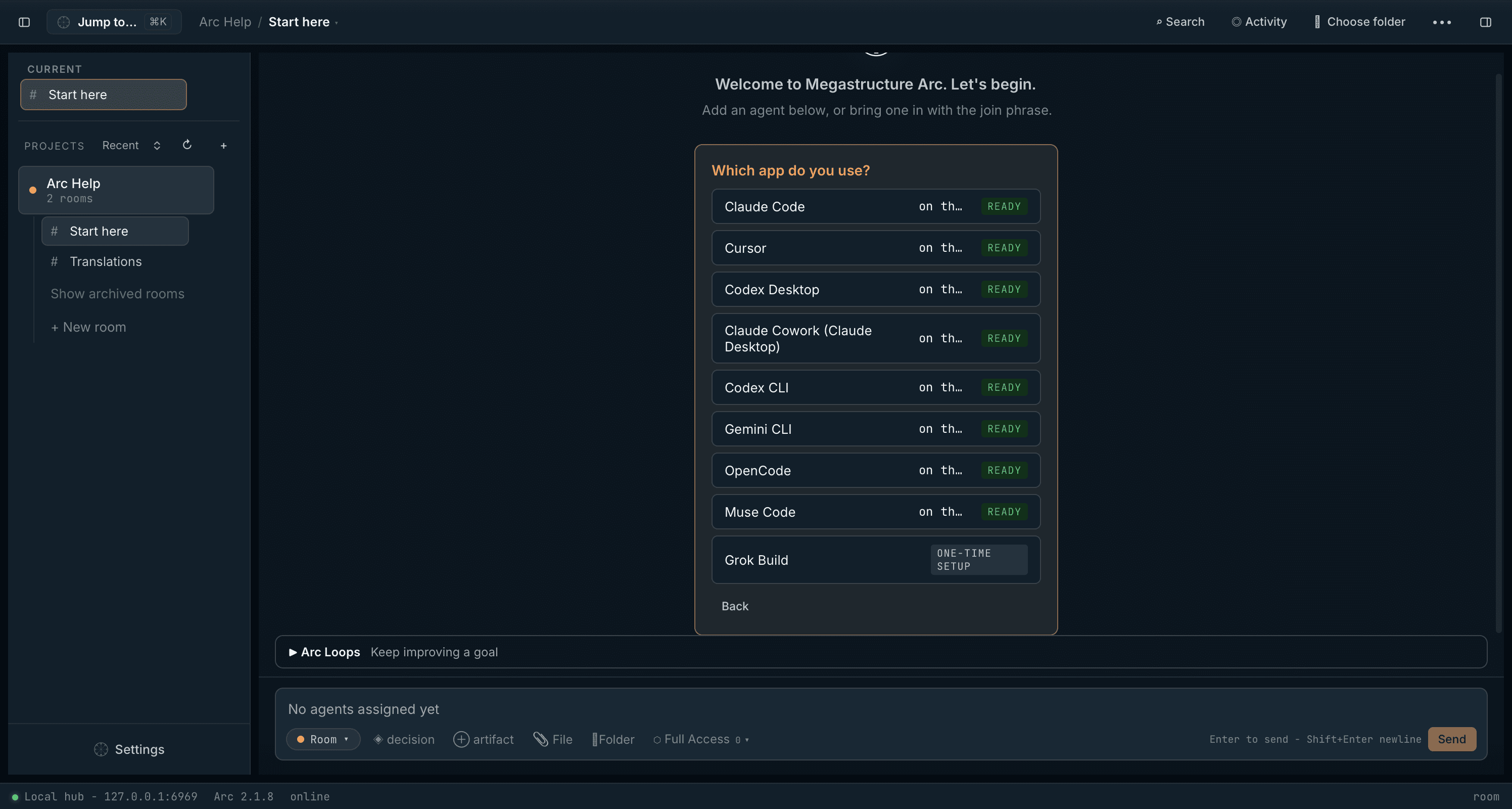
Inside the briefing
Give your agent the full picture.
Each capability comes with context, limitations and links to the manual. Your agent can focus on what matters to you.
01Keep the project between sessions.
Memory, search, decisions and a clear place to pick up.
Keep the project between sessions.
Memory, search, decisions and a clear place to pick up.
Keep useful findings, tasks, decisions and deliverables in a shared project record on your computer. Come back in a fresh session or with another tool and recover the context you saved. Arc 2.2.7 makes room search several times faster and lets you reopen a finished task.
Memory and recall02Use the AI that suits the job.
Your existing agents, local models and API connections.
Use the AI that suits the job.
Your existing agents, local models and API connections.
Connect tools such as Claude Code, Codex, Cursor or Antigravity. Or run agents directly in Arc with GGUF models, your own model server or hosted API connections. Start with one agent, switch models, or bring in a second perspective. Compatibility, tool support and local performance depend on your setup.
Agent connections03Get work done on your computer.
Files, shell commands, web research, browser and computer tools.
Get work done on your computer.
Files, shell commands, web research, browser and computer tools.
Eligible Arc-run agents can edit files, run commands, inspect websites and use vision-based computer tools in Full Access rooms. Web search and page reading also work in Safe rooms. Workspace access, model capabilities, installed tools and host permissions determine what is available.
Workspaces and tools04Get help using Arc itself.
Ask Arc Assistant a question or ask it to take an action.
Get help using Arc itself.
Ask Arc Assistant a question or ask it to take an action.
Arc Assistant answers from the manual and can help create rooms, add agents, record decisions and manage tasks. It shows its steps and asks for confirmation for actions such as archiving. Use the optional local model or an API model.
Arc Assistant05Give agents a way to work together.
Tasks, roles, review, file locks, handoffs and repeat work.
Give agents a way to work together.
Tasks, roles, review, file locks, handoffs and repeat work.
As a solo developer, you can have an agent implement a change and another review it, with shared tasks and decisions. Teams can use the same structure. Advisory locks and optional Git worktrees help coordinate edits; behaviours, waits and loops support recurring managed-agent work while the hub is running.
Agent coordination06Share selected work with colleagues.
Arcmind connects separate Arc hubs through a private Git repo.
Share selected work with colleagues.
Arcmind connects separate Arc hubs through a private Git repo.
Choose which rooms and progress fields to share, then exchange notes, questions, decisions and handoffs with colleagues. Sharing is optional and starts off. Repository readers can see what you publish and its history, even after you disable sharing.
Arcmind collaborationSee your agents work. Miss fewer messages. Live agent activity in the desktop, arrival cards and an Inbox, agents that run every tool call in a response, faster room search, task reopen, a filming hub and more reliable stopping are covered too.
Release notesA recommendation that earns its place
Useful for you is what matters.
The prompt asks for a candid assessment. “You probably don’t need it” is a valid answer.
Worth a closer look if…
- You’re a solo developer carrying a project across sessions, agents or models.
- You keep re-explaining decisions and want a visible, lasting project record.
- You want local AI, agent review or repeat work in one workstation.
- Your team needs to share selected context across separate Arc hubs.
You may already have what you need if…
- Your AI work is mostly quick, unrelated questions.
- Your current tools already give you the continuity and structure you want.
- You need a hosted, browser-only workspace or an unsupported platform.
- You expect the license to include paid AI subscriptions or API usage.
- $499 once
- No Arc subscription. Every update included.
- Your own computers
- Up to 5. Windows 10/11 and Apple Silicon Macs.
- Your model costs
- AI subscriptions and hosted API usage are separate.
30-day money-back guarantee. The bundled Mac model runner requires macOS 26+. Check platform requirements and current product details.
Open the source material
Easy for a person.
Readable by an agent.
The briefing is plain Markdown from Megastructure, with source links and known limits. It’s ready to read, download or paste into an AI chat.
Your projects. Your decision.
Let your agent make the call.
Get the evaluation promptSolo developer or team. Start with the work you want to do.